Running a Pilates studio on your own is one kind of problem. Running one with a team of two, five or eight instructors is a different kind entirely. The schedule gets more complex. The question of who can see what becomes important. And the assumption that everyone uses the same system — the way you use it — turns out to be optimistic.
Most Pilates instructors are freelance, or close to it. They teach at more than one studio. They have their own routines, their own preferred tools, and a healthy scepticism about being asked to learn a new platform by every studio they work with. That's not a criticism — it's just the reality of how this profession works. Managing a team well means designing around that reality, not against it.
The onboarding problem
Telling a freelance Pilates instructor to log in to a new system, complete a setup process, and attend a twenty-minute onboarding call is a reliable way to make the whole arrangement feel more complicated than it needs to be. The bar for "this is too much friction" is lower than most studio owners expect — especially for instructors who are already covering three studios and treating yours as one of several.
This means the onboarding process for a new instructor needs to be genuinely short. Not "short for a software product" — actually short. Ideally: one step, from their phone, done in under two minutes. If it requires you to be present, involves passwords, or takes more than one screen, you've already lost some of them.
The practical implication: whatever system you use for team management, the instructor-facing part of it needs to be close to frictionless. Not feature-rich — frictionless. Features can come later once they've seen it work.
What instructors need access to — and what they don't
Access control is one of the more consequential decisions in running a multi-instructor studio, and it's easy to get wrong in both directions.
Give instructors too little and they're constantly asking you things you'd rather they handled themselves: what's on the schedule tomorrow, who's in Thursday's reformer class. Give them too much and they can see your revenue figures, your client contact details, and exactly what you charge each person — information that has no business being in a freelance instructor's hands.
A sensible access model looks roughly like this:
| What | Instructor access | Why |
|---|---|---|
| Viewing their schedule and classes | Yes | The whole point |
| Creating and editing their classes | Yes | They can manage their own timetable without going through you |
| Class rosters — who's booked in | Yes | They need to know who's coming and how full the class is |
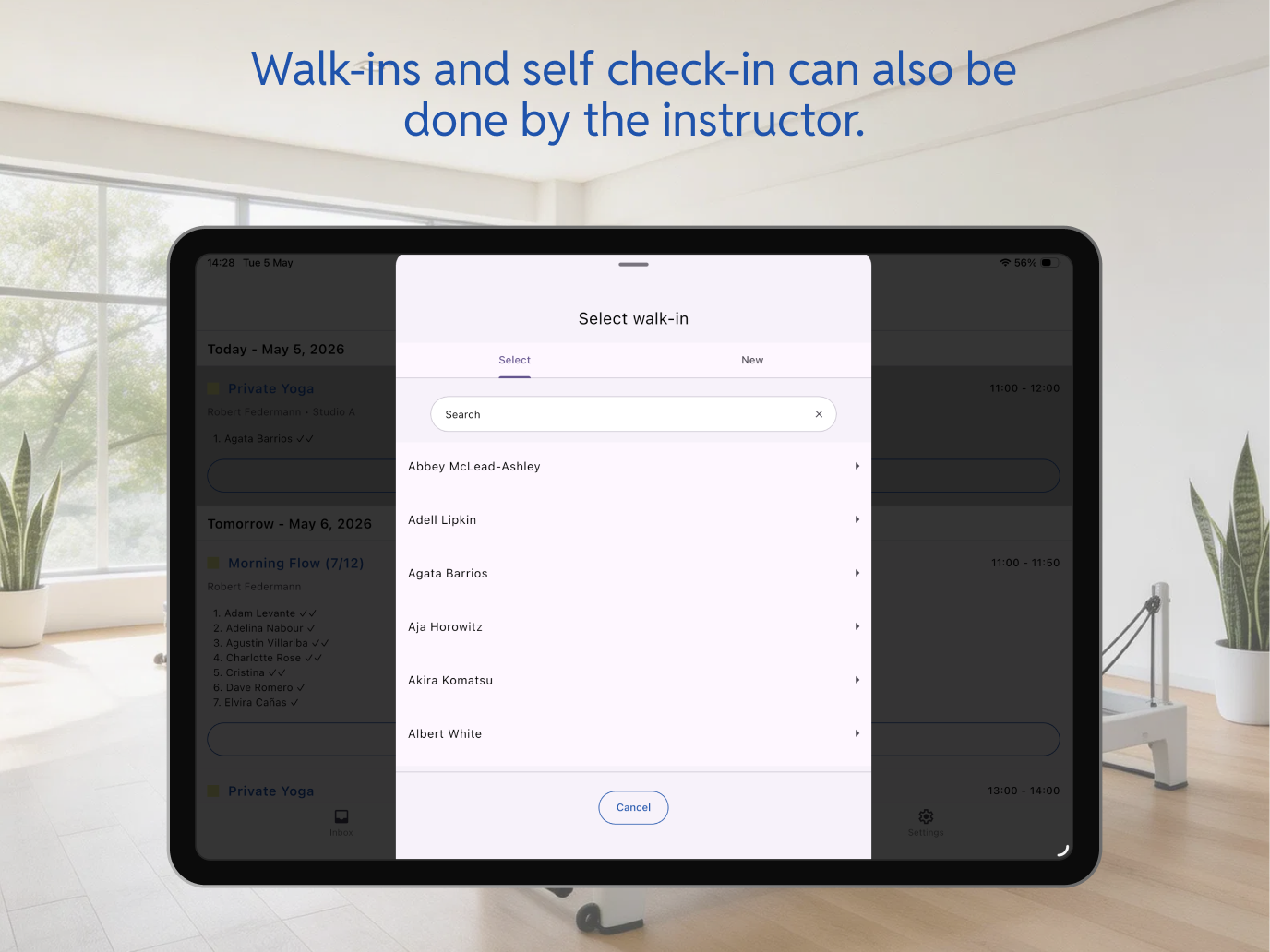
| Adding clients to a class | Yes | Useful for walk-ins or last-minute additions without calling the studio owner |
| Attendance marking, checkout and class management | Yes | They can run their own classes start to finish without needing you in the room |
| Client contact details | No | No operational reason to have it; creates unnecessary exposure |
| Revenue, pricing and financial overviews | No | None of their business, frankly |
| Other instructors' schedules | No | Creates noise, not relevant to their work |
The pattern is consistent: instructors need what's directly relevant to teaching their classes. Everything else — the business layer, the client data layer, the financial layer — stays with you.
The shared device problem
Many studios have one iPad or computer at the front desk. It runs the booking system. It's logged in as you. And at some point, an instructor needs to check tomorrow's schedule or mark attendance — which means either you hand over your login, they do it on their own phone in your account, or nothing gets done until you're there.
None of those options is good. Sharing credentials means an instructor has access to everything you do. Doing nothing means the operational information lives only in your head. And "I'll sort it when I'm in" scales badly once you have three or four people depending on you to relay basic scheduling information.
The solution isn't a second device. It's instructors having their own access, on their own phones, to the specific parts of the system that are relevant to them — without any of your credentials involved.
Mobile-first by necessity
Pilates instructors are not office workers. They're between studios, in transit, arriving fifteen minutes before a class starts. The tools they use for work need to work from a phone, not just technically support it. An app that requires a laptop to do anything meaningful, or that was designed for desktop and adapted for mobile as an afterthought, isn't going to get used consistently in the field.
This is a real constraint, not an aspiration. If checking tomorrow's class roster requires sitting at a desk, it won't get checked until someone is sitting at a desk — which may be never, or too late.
When things change — and they will
Illness, holidays, last-minute swaps, instructors covering for each other — in a studio running classes five or six days a week across several instructors, something unexpected happens every week or two. How quickly and cleanly you can handle it is an operational competence that separates studios that run well from studios that run on the studio owner's goodwill and stress tolerance.
The calendar view is the starting point. Bobclass shows the full schedule across all instructors in one view, so you can see at a glance who is teaching what and where the gaps are if someone drops out. Switch to a per-instructor view when you need to focus on one person's week — useful when planning cover or checking load balance before adding a new regular slot.
When an instructor is out for a stretch — illness, a week's holiday, a personal situation — and needs their classes reassigned, Bobclass handles this with bulk class edits. Select the affected sessions, reassign to a different instructor: done in a single action rather than updating each class one by one. For a studio running twenty or more classes a week, the difference between a five-minute fix and a Thursday evening of admin is exactly this.
If your most reliable instructor called in sick tomorrow morning and you needed to reassign their four classes for the week, how long would it take you? If the answer is "longer than ten minutes", that's a workflow worth fixing before it happens in real life — ideally not on the morning it happens.
How Bobclass Team works
Bobclass Team is a separate app — available on iOS and Android — designed specifically for the instructor side of this.
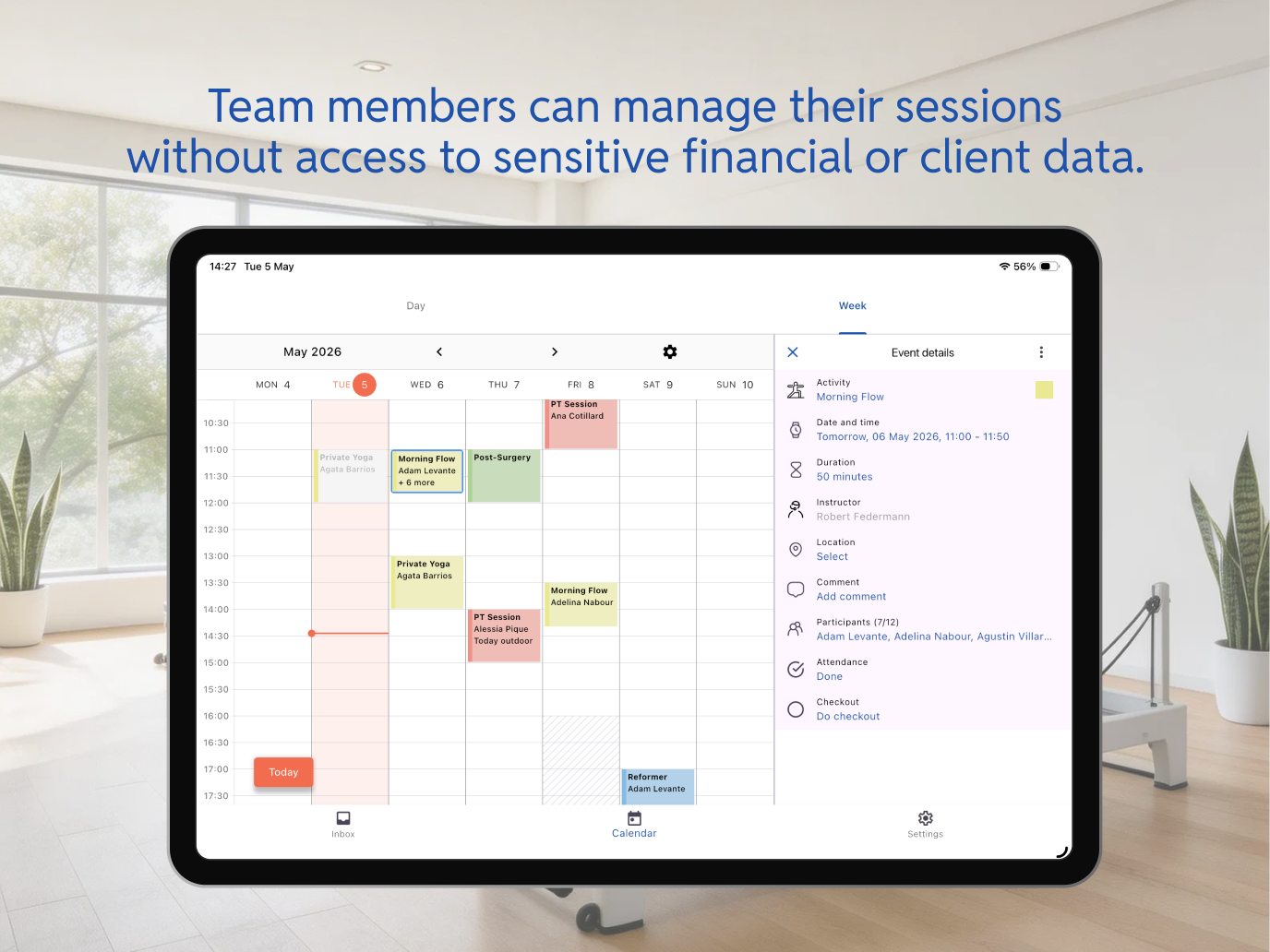
Onboarding an instructor takes three steps:
Add the instructor to your studio in the Studio Manager app and flip the switch to enable them for Bobclass Team. This generates a one-time magic code.
One app, available on iPhone and Android. They install it the same way they'd install anything else.
The code links their app to your studio. Their schedule appears. They're in. The whole process takes under two minutes and requires nothing from you beyond step one.
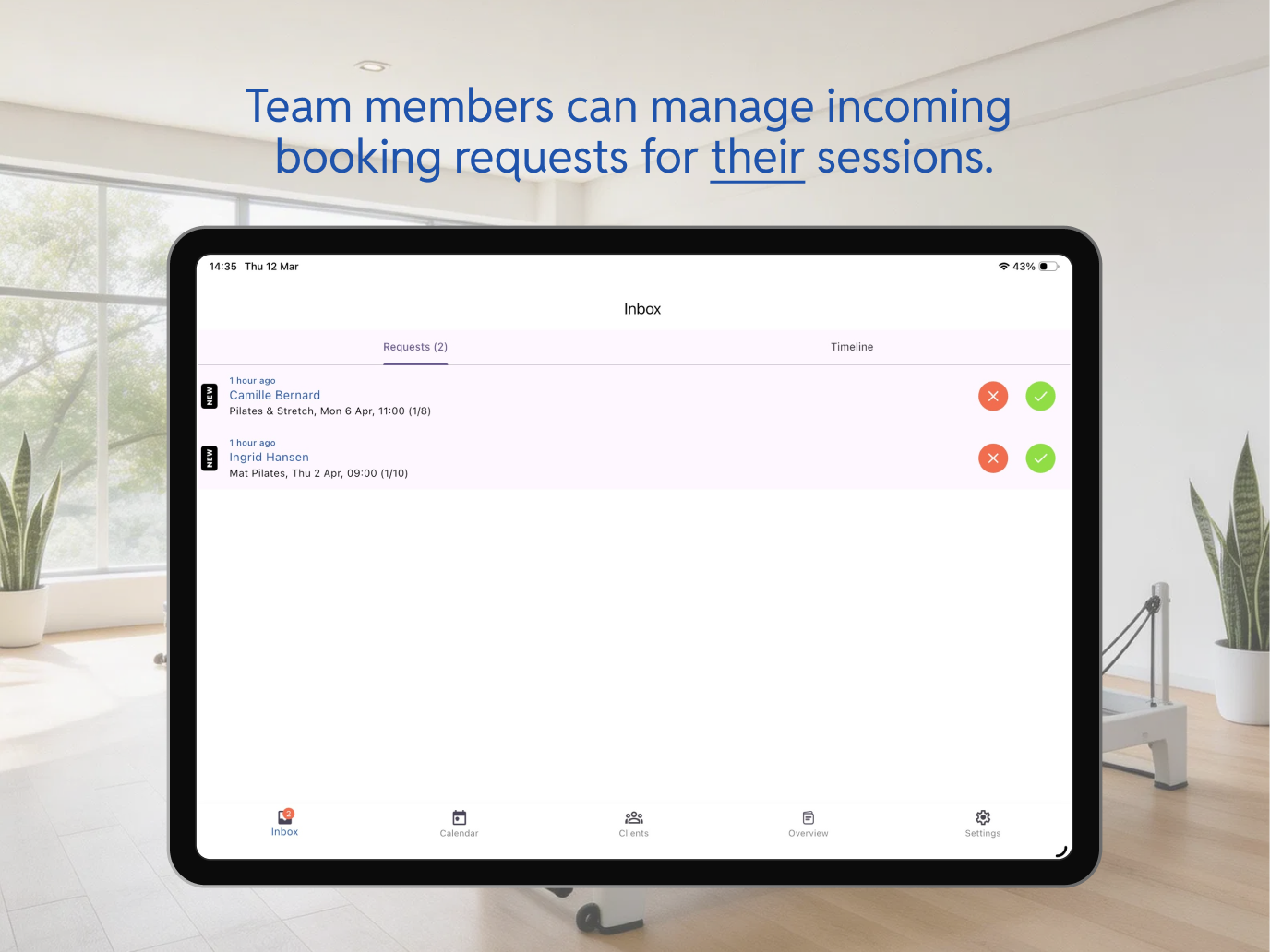
Once set up, instructors can view their schedule, create and edit their classes, manage rosters, add clients, mark attendance and handle checkout — all independently. What they cannot see: your revenue or financial data, client contact details, other instructors' schedules, or anything else outside their own teaching scope.
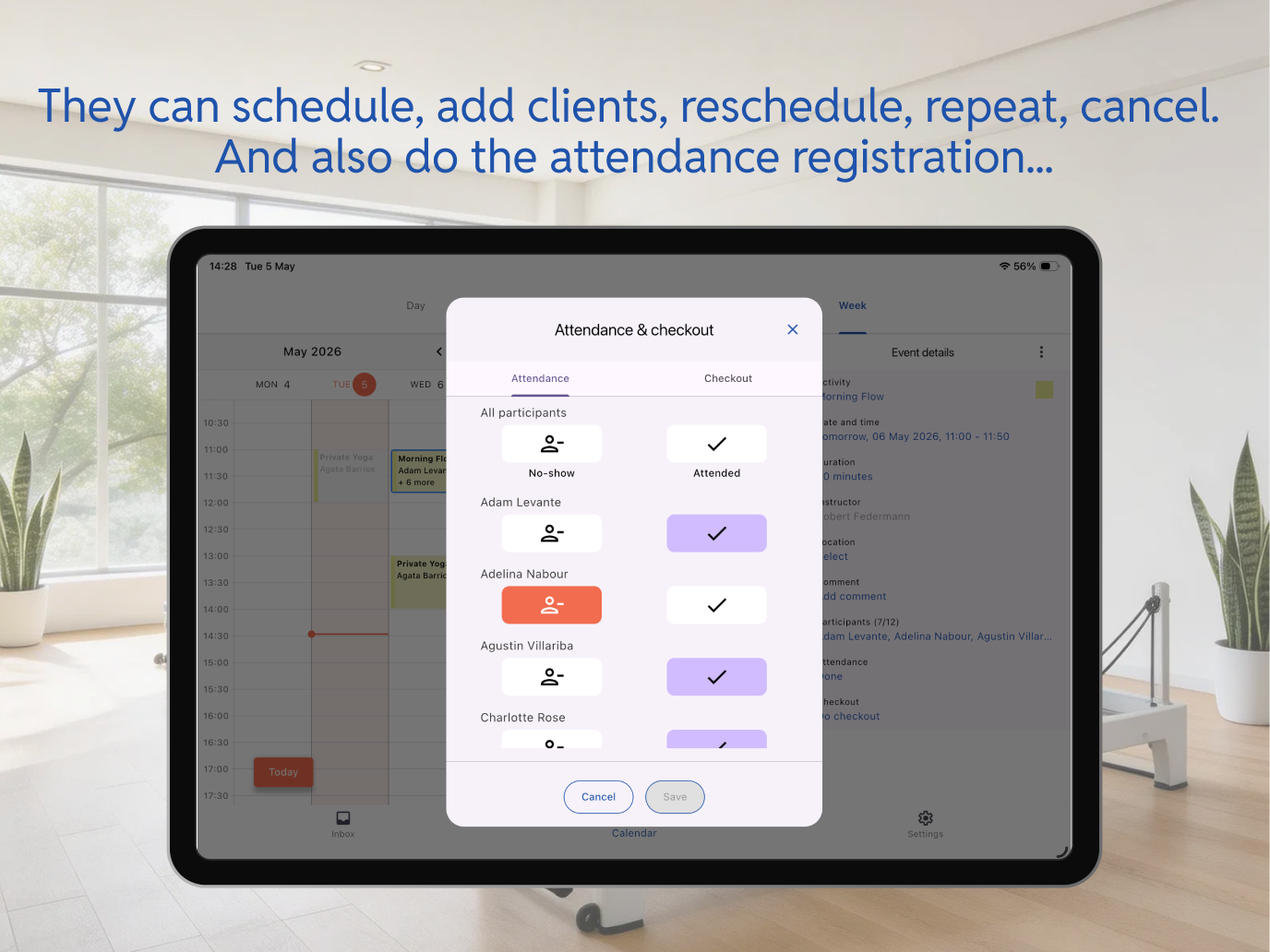
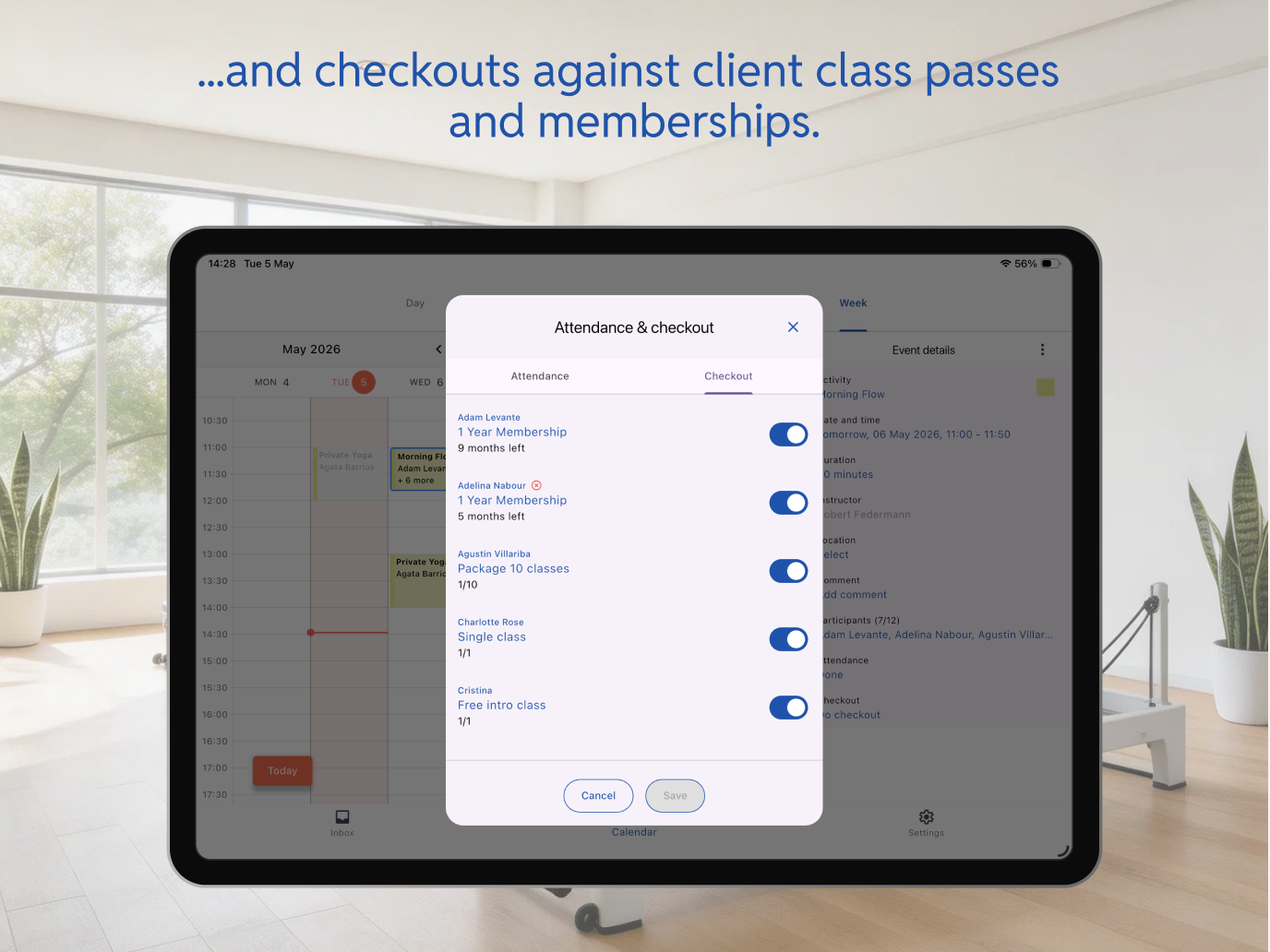
Their world, cleanly
Their schedule, their classes, who's booked in, client names. Everything needed to walk in and run a session without having to call or message you first.
Your business layer
Revenue, pricing, financial overviews, client contact details, or other instructors' data. The separation is enforced by the app — not by trusting people to look away.
One thing that makes a meaningful difference for instructors teaching at multiple studios: calendar integration. Bobclass Team supports two directions. An instructor can export their Bobclass schedule as an iCal subscription link and add it to their personal calendar — Google Calendar, Outlook, Apple Calendar, anything that accepts calendar subscriptions. Their Bobclass classes appear alongside everything else in the calendar they already live in, updating automatically when the schedule changes. Alternatively, they can overlay their private calendar inside Bobclass Team, so they can see personal commitments and studio classes in one place without sharing any of that private data with you.
For an instructor managing commitments across three studios and a personal life, this is the difference between Bobclass Team being one more thing to check and it being the one place they check.
Practical notes for multi-instructor studios
Think about specialisation early. One of the genuine advantages of a team is the ability to offer formats you're not personally trained in — tower Pilates, chair work, pre/post-natal specialisms, therapeutic reformer. Thinking about which instructor covers which specialisms, and reflecting that clearly in the schedule, is easier to build in from the start than to retrofit once the timetable is established.
Set expectations about availability updates. The biggest source of scheduling friction in multi-instructor studios isn't the software — it's getting timely notice of unavailability. A studio culture where instructors flag changes early is worth more than any scheduling tool. That said, when the inevitable last-minute change does come in, having bulk reassignment ready makes all the difference.
Bobclass Team requires the Studio plan. It's not available on the free or Pro tiers — the Studio plan is €34.99/month including VAT. The number of instructors you add makes no difference to the price: two instructors or eight, it's the same flat fee. If you're currently on Pro (€19.99/month) and adding instructors is the reason you're considering an upgrade, the difference is €15/month.
Related guides
If you're thinking about team management in the context of a platform switch, that guide covers how to handle the transition without losing client data or disrupting a live schedule — including the instructor side of the migration.
For how clients interact with a multi-instructor studio — booking specific instructors versus booking by class type — the client booking options guide covers the trade-offs.